


Think You youPass
Linking, made easy.
Linking with youPass is simple. Using the built-in Scanner, scan someone's youPass in Passbook to link automatically.
Alternatively, navigate to the Nearby list in youPass to see a list of other users Nearby and send a link request.
Choose to share your info when you link or anytime after. The choice is yours...
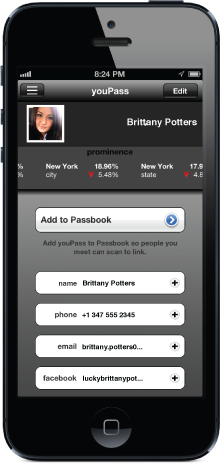
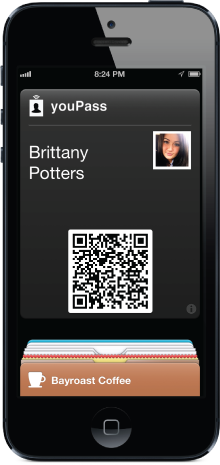


Choose what to share when you want.
Create a link when you meet.
Link now, connect later.
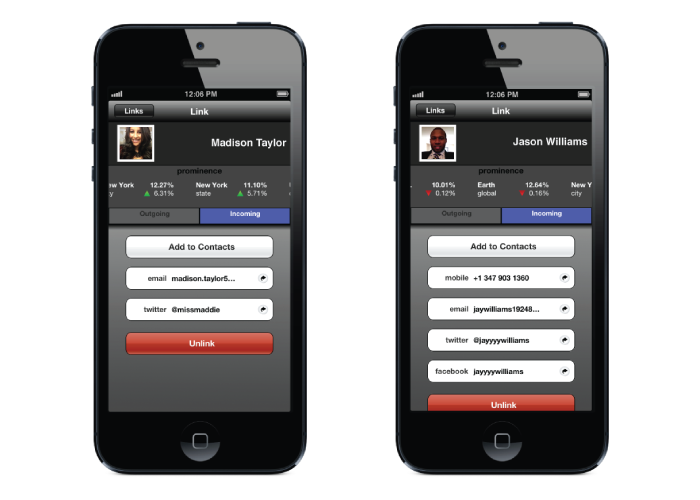
Each link created earns you prominence. Prominence is a measure of the number of people you're
linked to out of the total linking population.
As you create more and more links you'll find yourself earning prominence in different areas around the world. Although each user has a global prominence score, we also track prominence based on the current location of your links. As your links travel, so does your prominence--just like in the real world.
Prominence is a reflection of your real influence because with youPass, links are only created when we can verify you're at the same location.
Create links, earn prominence.

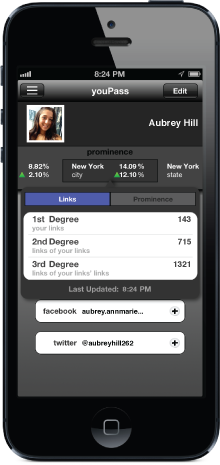
Always up-to-date contact info.
Contact information shared through youPass is live streaming. So any updates you make are sent to your links automatically (of course, only if you're already sharing it with them). Change your phone number and all your links that you've shared it with can receive alerts of the update.
As you receive new contact info from your links, add it to your Contacts list on your iPhone or interact with it directly through youPass. Quickly follow your links on Twitter or send a Facebook friend request. It's never been simpler.


With youPass, there's no public profile. Your youPass is only visible to people at the same location. And if they're at the same location, they probably see you anyway...
When you share business cards or vCards, everyone gets all of your contact information in one shot.
But with youPass, you choose specifically which information you'd like to share with each link you create. You decide what contact info they see and what they don't.
If we went through all this to protect your contact information, we obviously wouldn't broadcast your location either. Location is used to find people nearby so you can create new links. But once linked, your links can never see your current location.
Sometimes we don't want to connect. Sometimes we don't even want to be seen. With youPass, you can leave your invisibility cloak in the closet. Just enable Hide in the Privacy section and your youPass will be invisible to everyone nearby.
Privacy at your service.
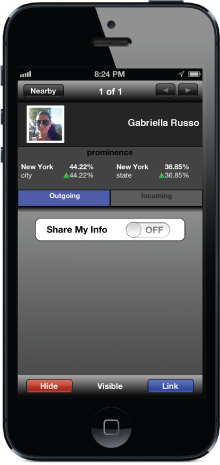




Each time you open youPass, your location is updated and you'll see any nearby users. If you can't find someone that's nearby, have them open youPass and they should appear right away. It's live.
But when you're not using youPass, background updates helps to minimize any missed connections. Receive notifications when potential links are nearby even when your phone is in your pocket!
If background updates are enabled, youPass only fetches your location in the background at most once per hour.
If you've ever used a navigation app, you know that tracking your location on your iPhone will drain your battery. By combining advanced geofencing techniques and minimal background updates, youPass barely impacts your battery life at all.
Background updates. Done smart.


Receive emails from Think You about new products, promotions and events.

